To translate a PDF from English to French and keep its layout, translate the file itself with a tool that rewrites each block of text in place. Then check what the switch to French changes: text length, accents, punctuation, numbers and dates.
Below are those five points, what LINGUAE does about each one, and the three steps to translate your PDF.
What changes between an English PDF and its French version
| Point | In English | In French | Where to look |
|---|---|---|---|
| Length | Compact text | Usually longer | Short labels, the densest page |
| Accents | Few or none | é, è, à, ç, œ | Headings, accented words |
| Punctuation | word: word | mot : mot, « guillemets » | Colons, quotations |
| Numbers | 1,250.50 | 1 250,50 | Tables, amounts |
| Dates | 10/11/2026 (month/day) | 11/10/2026 (day/month) | Contracts, schedules |
If you cannot select any text in the original PDF, it is a scan. Run it through an OCR tool first: LINGUAE does not do OCR.
French text takes more room
A translation rarely has the length of its source, and English is compact. The W3C article on text size in translation cites IBM figures: English text over 70 characters grows to about 130 % of its length in European languages, and a label under 10 characters can double or triple.
In a Word file, the extra text pushes the rest down. In a PDF, each paragraph sits in a fixed rectangle on the page, so the French text has to fit in the same box as the English.
When a translated block is too long, LINGUAE reduces the type size in that block, down to a set limit. The page keeps its positions: headings, columns and images stay where they were.
Accents need a font that has them
A PDF often embeds its fonts as subsets: only the characters the document uses are included. A report written in English may have no é or ç in its font at all. Writing French with that font gives empty boxes where the accented letters should be.
To avoid this, LINGUAE sets the translated text in a standard font of the same family (serif, sans serif or monospace), keeping bold and italic. Every French accented letter is available.
The trade-off: the typeface is not always exactly the original one. On a heavily designed document, the difference shows.
French typography: spaces, quotation marks, capitals
French punctuation has its own spacing. In France, a non-breaking space goes before colons, semicolons, question marks and exclamation marks, and inside « guillemets ».
Quebec follows another rule. The Office québécois de la langue française uses no space before semicolons, question marks and exclamation marks, but keeps it before colons and the % sign. The same translated document may need adjusting depending on whether it goes to Paris or Montreal.
LINGUAE does not reformat punctuation after translation: the text is written as the engine produced it. English Title Case headings are another thing to watch, since a French heading capitalizes only its first word.
Numbers, amounts and dates
Numbers do not need translating, but the way they are written changes. The Dictionnaire de l'Académie française states that French uses a decimal comma and separates thousands with a non-breaking space in quantities: 1,250.50 in English is 1 250,50 in French. Page numbers and years take no space.
Dates carry more risk. In the United States, 10/11/2026 means October 11; a French reader sees the 10th of November. Nothing guarantees that a numeric date gets converted, so check each one.
Currency symbols move too: $1,200 becomes 1 200 $ in Quebec.
Consistent terms for your field
A contract that translates "agreement" as « accord » in one clause and « contrat » in the next leaves the reader wondering whether there are two documents. The longer the text, the more these variations add up.
In LINGUAE, Advanced Options has a Domain Specialization setting: legal, medical, finance, business, academic or technical. For English to French, all six domains have a glossary, on every plan.
How to translate an English PDF into French in LINGUAE
LINGUAE is a desktop app for macOS, Windows and Linux. The translation runs on your computer, so the PDF is not sent to a server.
Step 1: drop the PDF and pick the languages
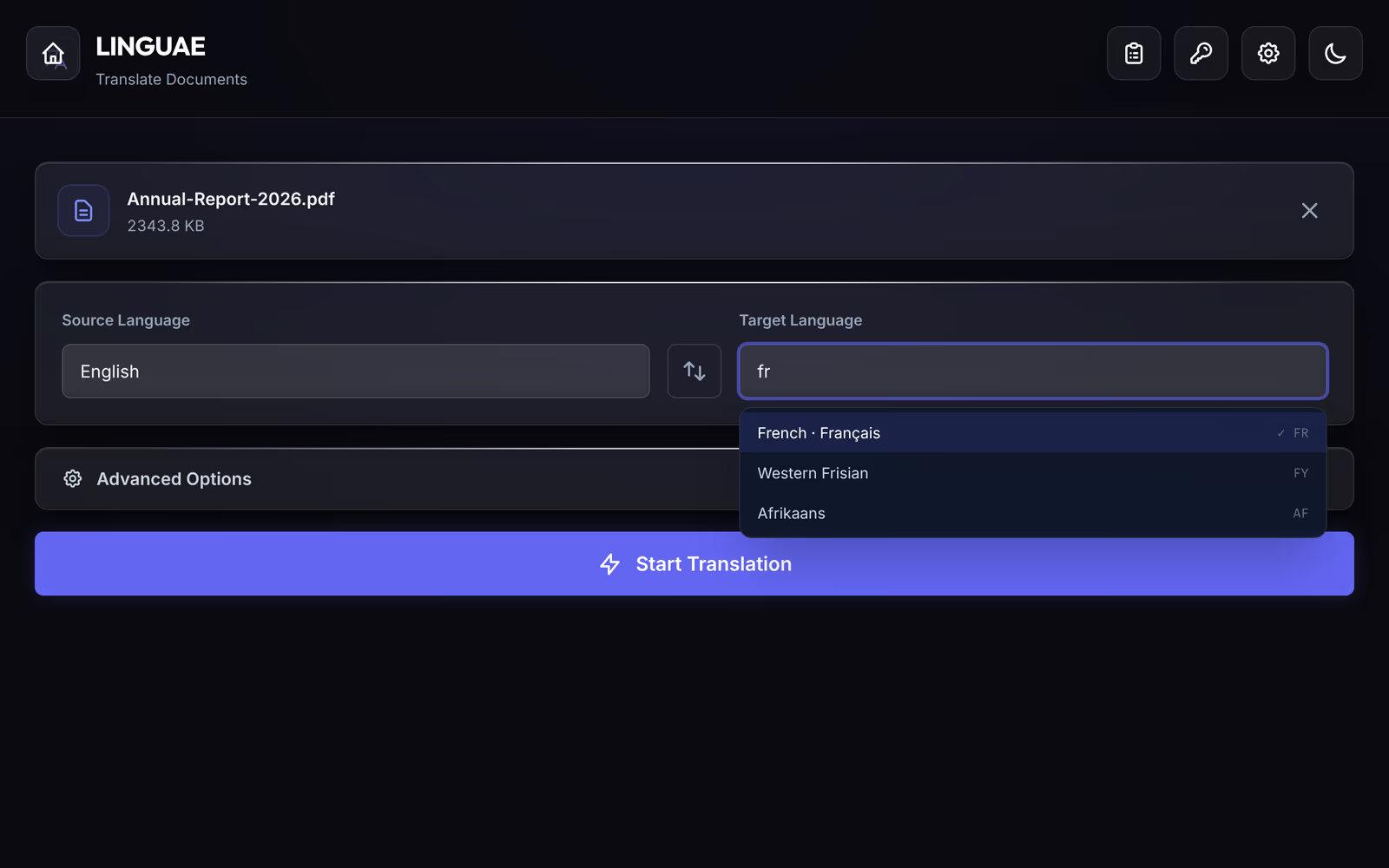
Drop the file on the Translate Documents page, or click Browse Files. Pick English as the source and French as the target; the list filters by name or code, such as fr. The standard engine, on every plan, translates English to French.
Step 2: start the translation
Open Advanced Options if you want a domain glossary, then click Start Translation. Progress goes through three stages: Analyze, Translate and Finalize.
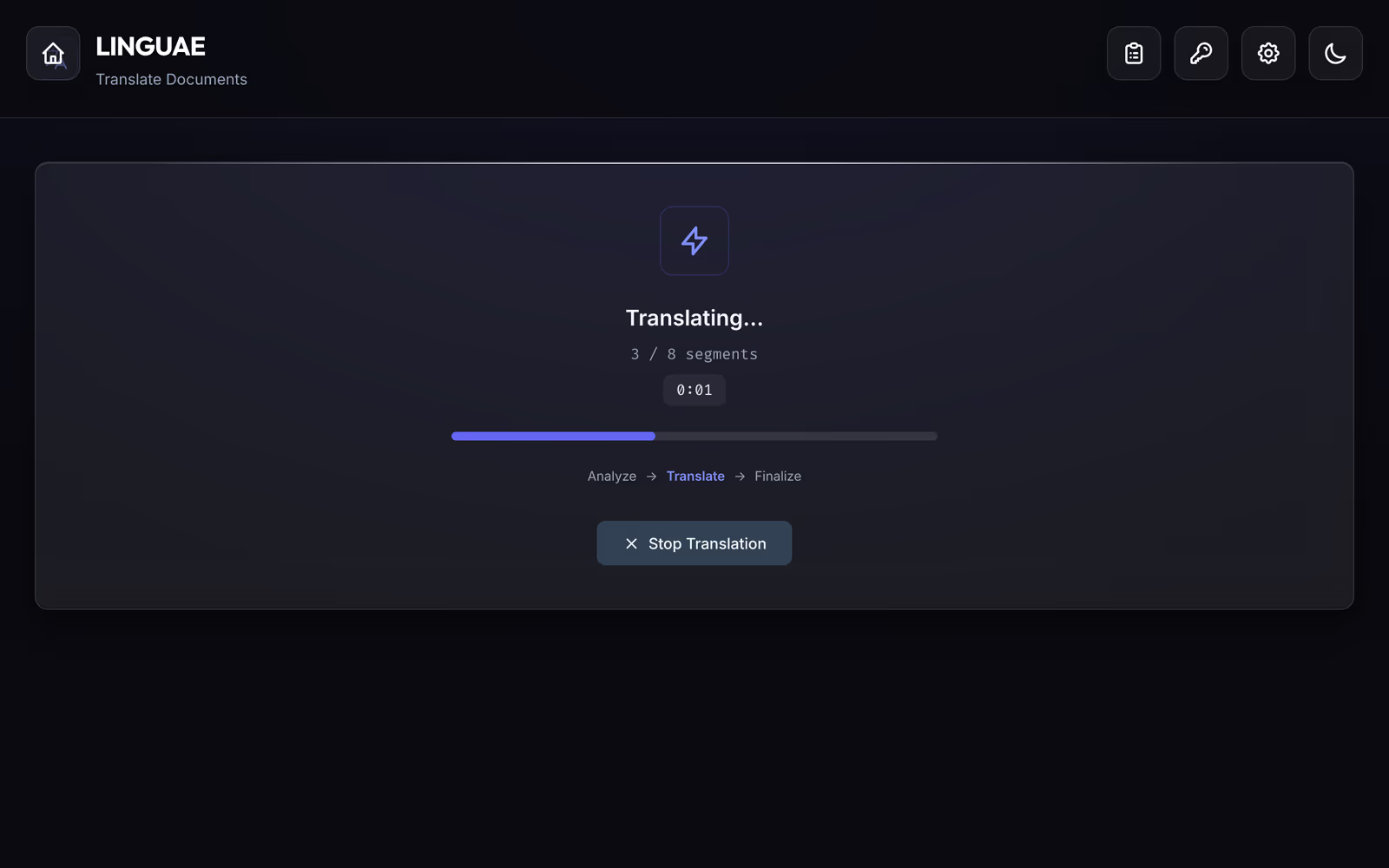
For a sense of scale: a 16-page, two-column psychology paper translated from English to French with the standard engine took 48 seconds in Fast mode on a MacBook M1 Pro. The details are in our research paper test.
Step 3: review and correct
On the Pro plan, the Quality Comparison view shows the original and the translation side by side, segment by segment, with a quality label on each. That is where you run the checks from this article.
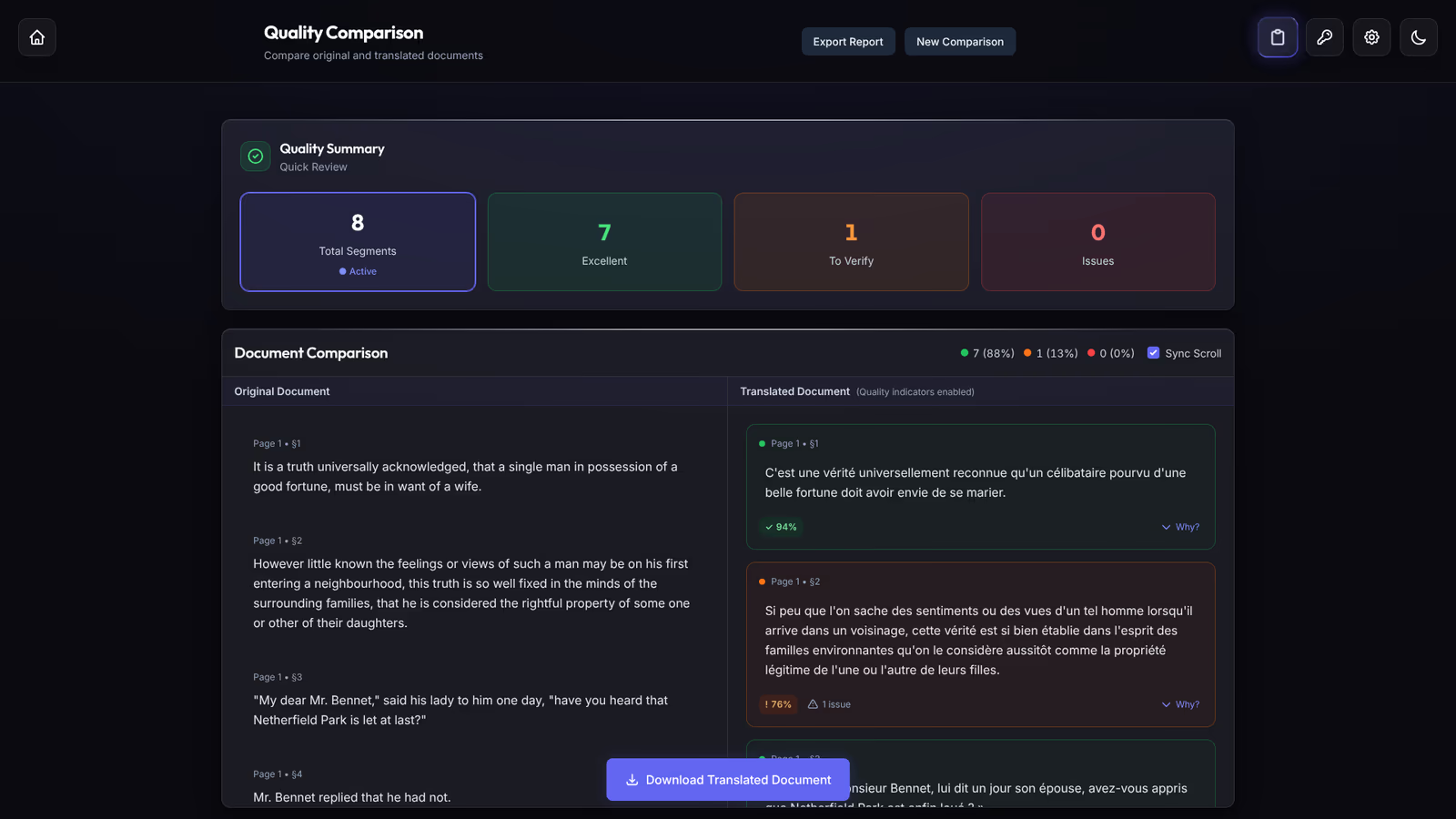
To fix a segment, double-click it and edit it in place: a colon missing its space, a date to swap, a term to align. Download Translated Document exports the file with your edits.
Questions
Can I translate a French PDF into English the same way?
Yes. Click the Swap languages button between the two lists. Everything in this article applies in reverse: the English text will be shorter, and numbers and dates need English notation.
Should I convert the PDF to Word first?
Only if you already have the original DOCX. Converting a PDF to Word adds a step where the layout can degrade. Our guide on translating a PDF without losing formatting covers the cases.
Is machine translation enough for an official document?
To understand a document or prepare a draft, yes. For an administrative procedure or a court, the receiving body often asks for a certified translation by a sworn translator.
Getting started
- Download LINGUAE and install it.
- Pick an English PDF you know well and translate it into French.
- Go through the result with the table at the top: length, accents, punctuation, numbers, dates.
The PDF translation feature page lists what the app keeps, and the pricing page compares the Free and Pro plans.