A free PDF translator is free up to a limit, and every tool sets it somewhere: pages per document, file size, characters, files per day or per month. Some limits are on the output instead, or on what happens to your file once it is sent.
None of this makes a free tool bad. It means you should test it against your own document before you rely on it. Here is a checklist that works for any tool, then our own free plan, stated plainly.
The checklist at a glance
| Question | Where the limit hides | What to look for |
|---|---|---|
| How big a document? | Pages, file size, characters | Which cap your file hits first |
| How often? | Files per day or per month | When the counter resets |
| What comes back? | The output | Whole file, layout kept, no watermark |
| Where does the file go? | Privacy policy, terms | Upload, retention period, other uses |
| What is actually free? | Feature list | Formats, languages, scanned PDFs, review |
| What does the next step cost? | Pricing page | Subscription or one-off payment |
Before you start, pick a test file you know well: a 30-page report, a course handout, a contract you have read. A short sample of plain text tells you very little about how a tool handles your real document.
1. How big a document can it take?
Free plans cap the size of a single document, and they count it in different ways: pages, megabytes, or characters of text. The same PDF can pass one cap and fail another.
A 40-page thesis chapter with figures can be small in characters but large in megabytes, because images weigh more than text. A dense, text-only report is the opposite. So the useful question is not "what is the limit" but which limit your file hits first.
2. How often can you use it?
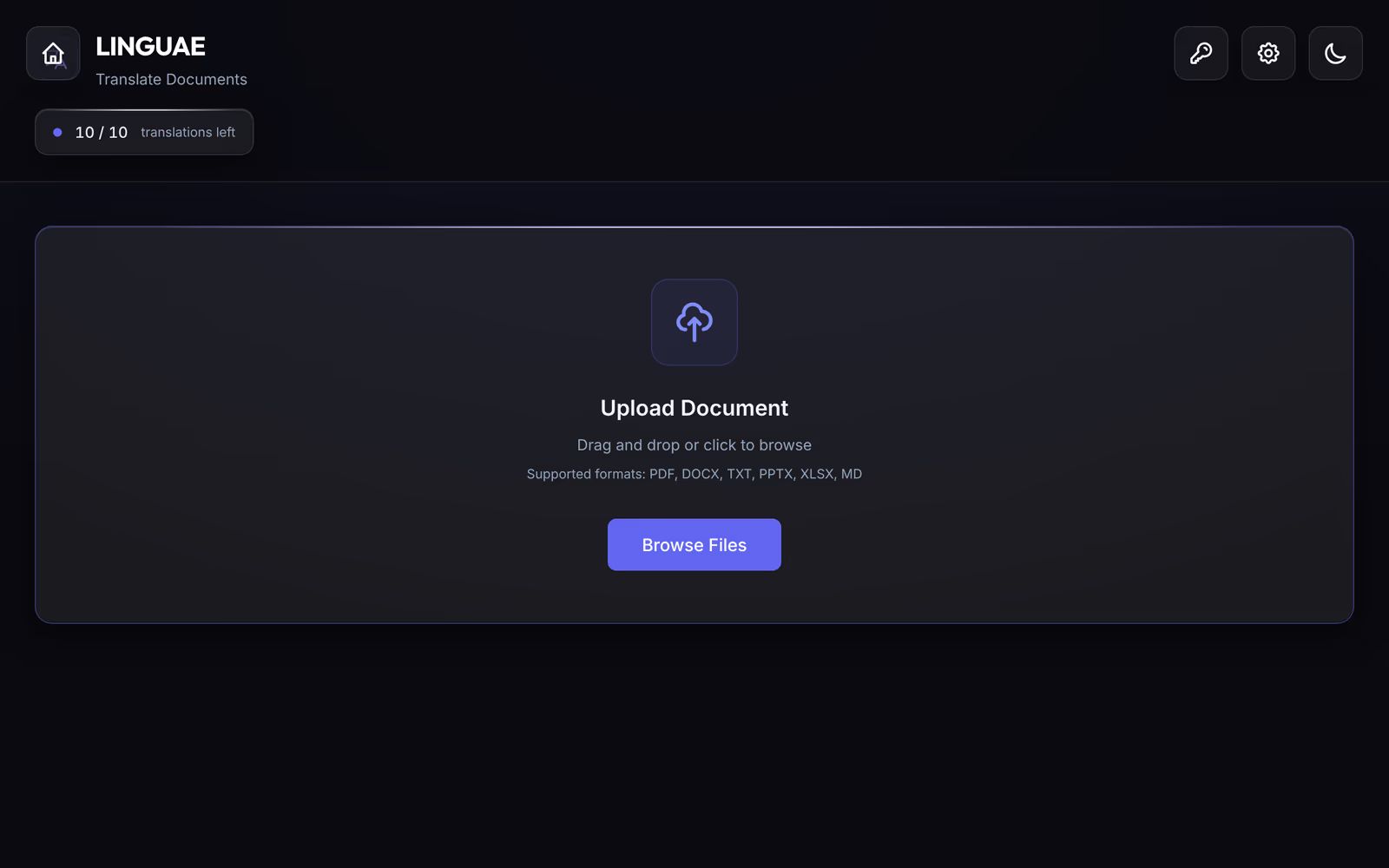
A daily or monthly quota decides whether a free tool works for a project or only for a single file. Translating a 12-chapter book one chapter at a time needs twelve documents, not one.
Look for when the counter resets (at midnight, every 24 hours, on the 1st of the month) and whether a failed translation still counts. A good free plan also shows you what is left before you start, so you do not find out halfway through a deadline.
3. What do you get back?
This is the limit listicles rarely mention. A free tool can translate your PDF and still not give you a usable file. Check three things on the result:
- The whole document. Every page is translated, not only the first ones, and no paragraph is left in the source language.
- A file, not just text. You can download a PDF (or the format you sent), not copy translated text from a web page.
- The layout and nothing added. Columns, tables and footnotes are where they were, and there is no watermark or banner on the pages.
Layout is the part that takes longest to fix by hand. Our article on how to translate a PDF lists the five places where a translated PDF breaks and how to check each one in a few minutes.
4. Where does your file go?
An online translator has to receive your document to translate it. That is fine for a public brochure. It matters more for a contract, a patient letter, an unpublished manuscript or student records.
Three questions, answered by the tool's privacy policy or terms rather than its homepage:
- Is the file kept, and for how long? "Deleted after processing" and "deleted after 30 days" are different promises.
- Is it used for anything else? For example, to improve the service.
- Who processes it? The tool itself, or a service it relies on.
If you work in the EU, the GDPR applies to personal data in the documents you send: Article 5 requires that it is kept no longer than necessary, and Article 28 sets the rules for a service that processes data on your behalf. A free tool that does not answer these questions in writing is a poor fit for those files.
5. What is actually included?
"Free" often covers the basic engine and one or two formats. Check the parts your document needs:
- Formats. PDF only, or also DOCX, PPTX and XLSX if you have the source file.
- Languages. Your exact pair, in the direction you need. A tool can support a language as a source and not as a target.
- Scanned PDFs. If you cannot select text in your PDF, it is an image and needs OCR first. Many tools do not do it, and LINGUAE does not either.
- Review. Some way to compare the translation with the original, sentence by sentence.
6. What does the next step cost?
Sooner or later a free plan runs out, and how it runs out matters. Some tools only offer a subscription. Others let you pay for one more document. If you translate a few files a year, a monthly plan you forget to cancel can cost more than the occasional one-off payment.
What the LINGUAE Free plan includes
LINGUAE is a desktop app for macOS, Windows and Linux. The Free plan needs no account, and here is what it covers:
| Free | Pro | |
|---|---|---|
| Documents | 10 a month, reset on the 1st | Unlimited |
| Size per document | 5 MB, 100 pages | 50 MB, no page limit |
| Engine | Standard, 90+ language pairs | Standard and premium engines |
| Formats | PDF, DOCX, PPTX, XLSX, TXT, MD | Same |
| Domain glossaries | Included | Included |
| Quality Comparison, translation memory | Not included | Included |
| Price | $0 | $9.99 a month |
The translation runs on your computer, so the document is not uploaded to translate it. A document only counts once it has been translated: a failed or cancelled translation leaves the counter where it was.
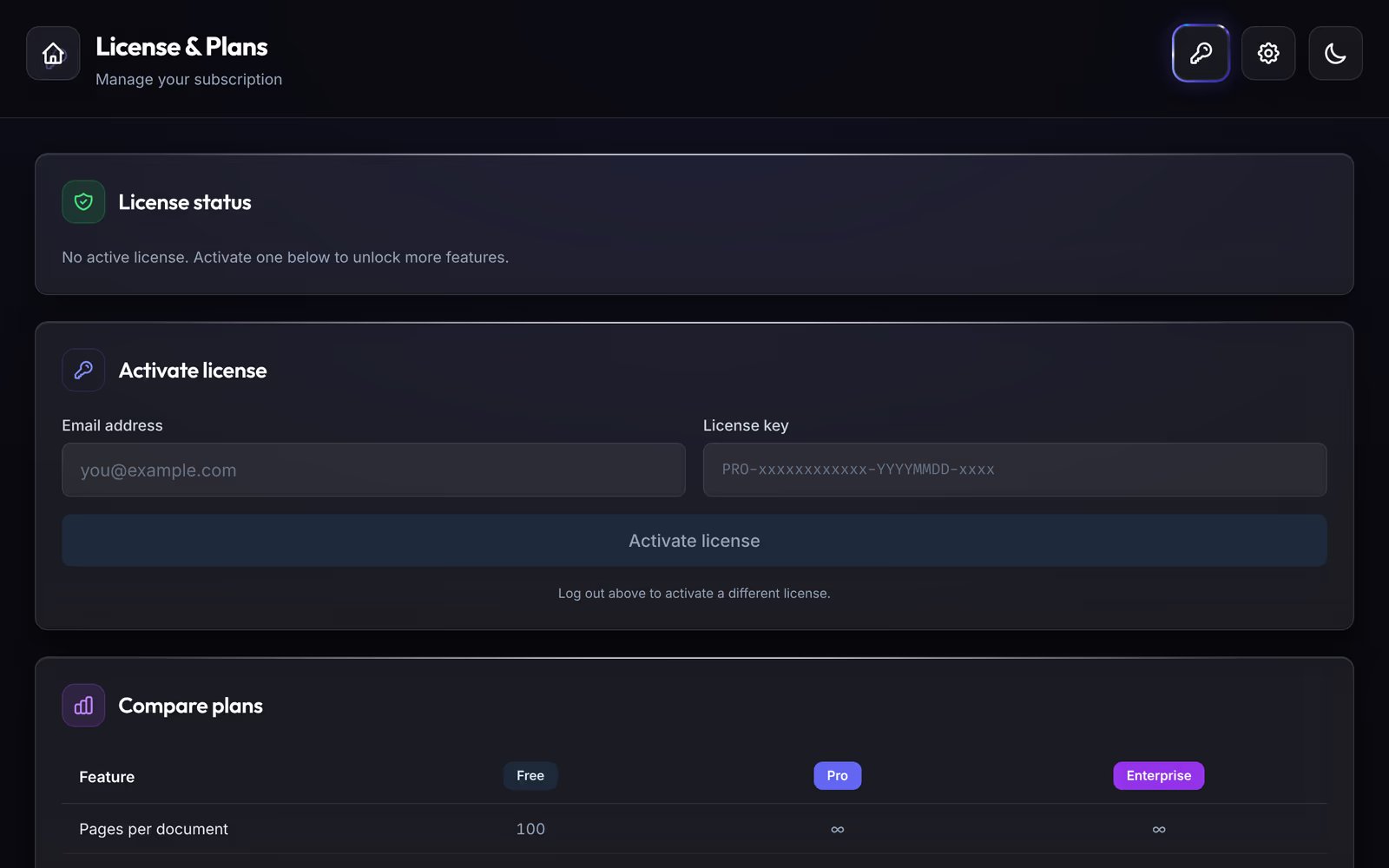
When the 10 documents are used up, you can wait for the 1st of the month, move to Pro, or buy a credit bundle: 5 documents for $2, 20 for $7 or 50 for $15, valid 12 months. Credits are the one case where the free plan needs a connection: the app reserves the credit online before translating. The document itself stays on your computer.
Questions
Is there a free PDF translator without limits?
Not in practice. Translation takes computing power, and a tool that pays for its servers limits free use somewhere: size, frequency, features or the output. A tool that runs on your own computer uses your hardware instead, and its limits are set by the plan.
Does the free plan add a watermark?
No. A document translated on the LINGUAE Free plan comes back as a normal file in its original format, with nothing added to the pages.
Can I translate a 300-page PDF for free?
Not in one document on our Free plan, which stops at 100 pages. You can split the PDF into parts of 100 pages or less, each counting as one document, or use Pro. Our 300-page book test shows how long a file that size takes.
Getting started
Download LINGUAE and run the checklist on a PDF you know well, with our app or any other: check the page count, the output and where the file went. Then compare the result with the original, page by page.